← All work CASE 03 · SOUTHWEST AIRLINES

Designing vacation allocation for Southwest Airlines planners.

A planning tool that catches contract violations before the union does. Schedulers model vacation scenarios across 11,000 pilots — and the system flags what breaks the contract as they build.

Client
Southwest Airlines
via Amdocs Studios
Timeline
2022 — Present
Role
Principal Designer
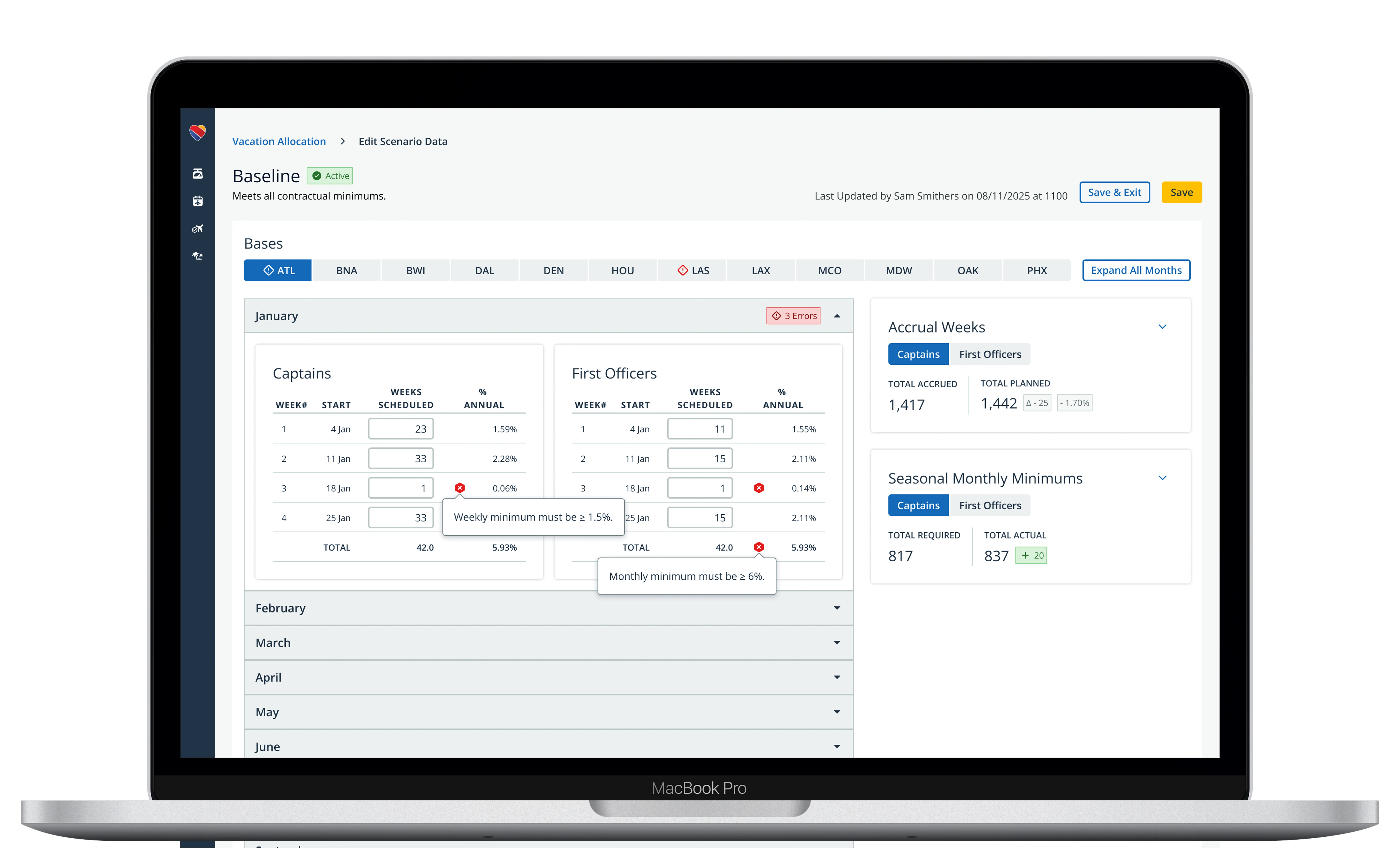
Vacation allocation planner — editing a scenario with contract minimums surfaced in real time.

One wrong formula breaks compliance for the whole bid cycle.

Before vacation bidding opens for 11,000 pilots, planners decide how many vacation slots are available each week — by base, by role, by month — while staying within SWAPA contract requirements. Get it wrong and pilots bid against inaccurate data. Miss a contract minimum and the airline is out of compliance with the union contract.

Planners were doing this in a multi-tab Excel spreadsheet with macros. One wrong formula, one missed update, and contract minimums break for the entire bid cycle.
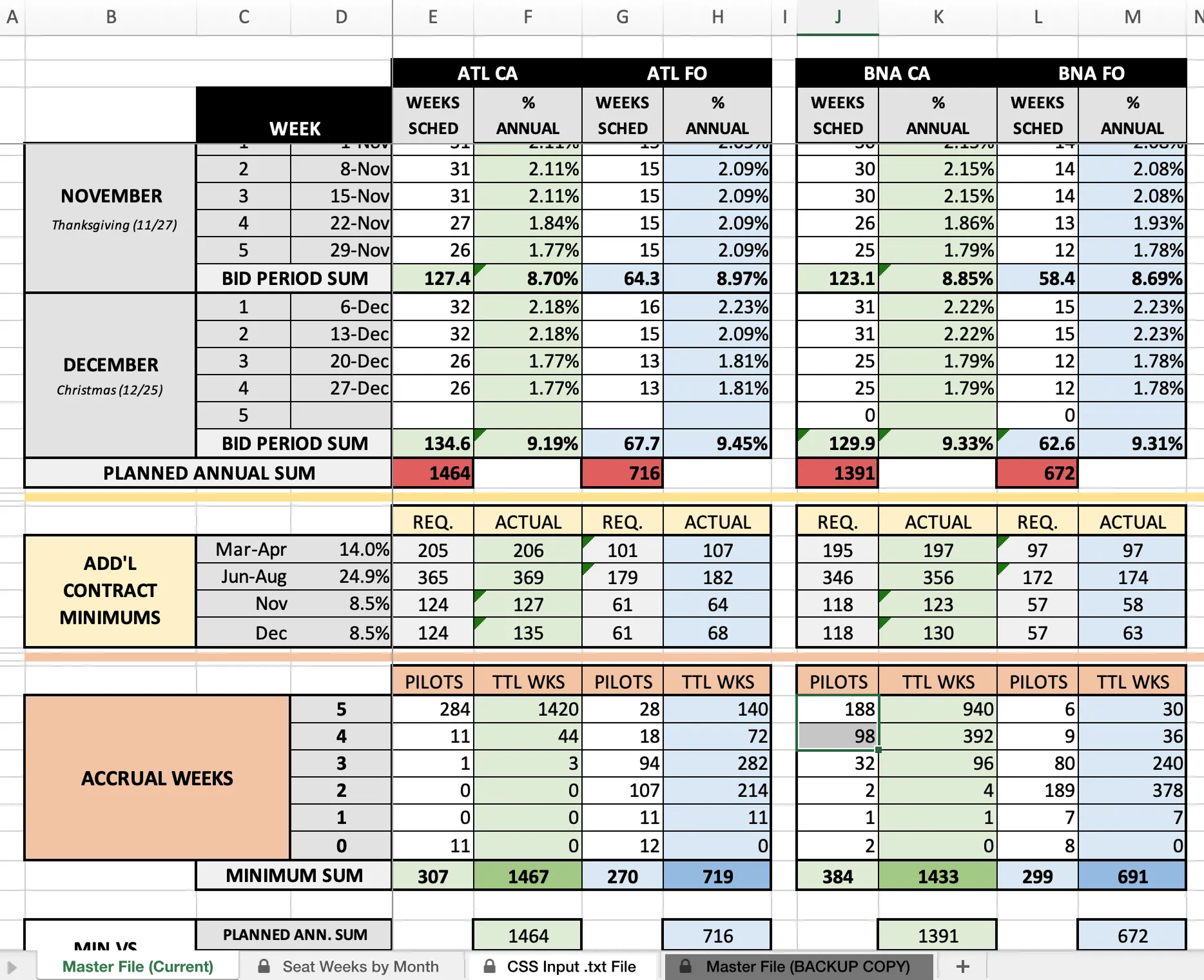
Multi-tab Excel spreadsheet with macros used by Southwest planners to manage vacation allocation.

The tool planners used before. A multi-tab spreadsheet with macros and a manual CSV export feeding the bidding system. One bad formula, undetected, breaks the bid for everyone.
Mapping the real constraints.

Before opening Figma, I mapped the constraints — some inherited, some I’d need to negotiate.

Planners are expert users. They know the SWAPA contract in detail, and the tool needed to match their mental model rather than simplify it away. Compliance itself is layered — weekly, monthly, and seasonal minimums, separately for Captains and First Officers, across every base — and any tool that couldn’t surface all of it simultaneously would replicate the spreadsheet’s core failure.

Contract values had to be editable by planners, not hardcoded by engineering. Designing around current SWAPA values would create engineering debt every time the contract was renegotiated. I brought this to the team as an architectural argument, not a feature request.

No custom components. Jetstream — our design system — would carry the work. The challenge was achieving the data density this tool required using existing patterns, and identifying where the system needed to grow for operational use cases it wasn’t built for.

The real problem wasn’t data entry. It was decision support.

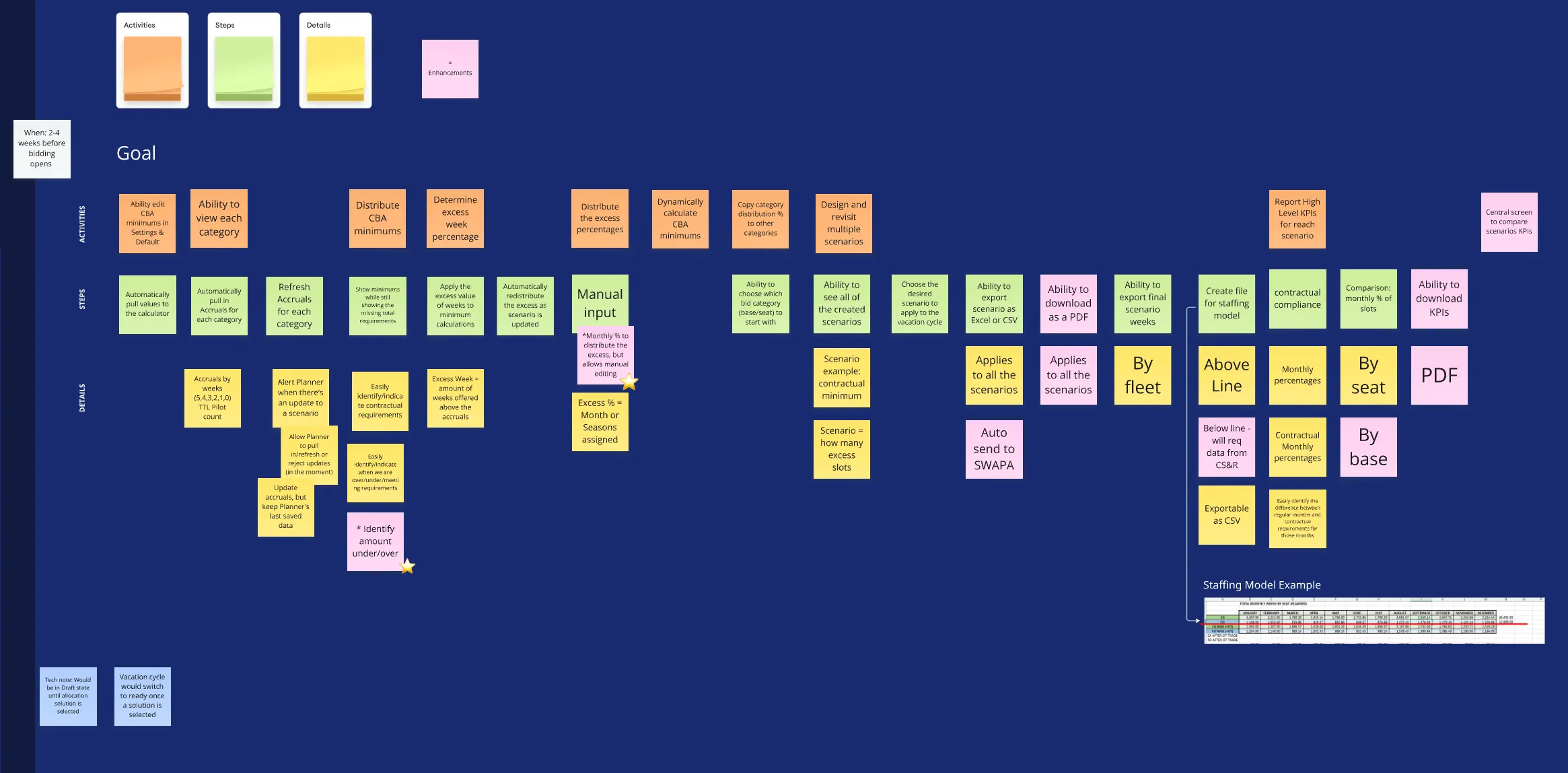
With a small team of domain experts as users, I made a deliberate call to run collaborative working sessions rather than traditional usability research. Planners needed to map their own workflow to surface where the real friction lived.

Miro board showing user story mapping session with the Southwest planning team.

A user story mapping session with the planning team. Planners walked me through their workflow themselves — which surfaced the scenario modeling they were already doing in their heads, but had no tool to support.

Planners weren’t just entering numbers — they were running scenarios mentally. What happens if we boost December slots at DEN? Does that break a seasonal minimum somewhere else? The spreadsheet forced them to recalculate manually every time an assumption changed.

The real problem wasn’t data entry. It was decision support.

What I built.

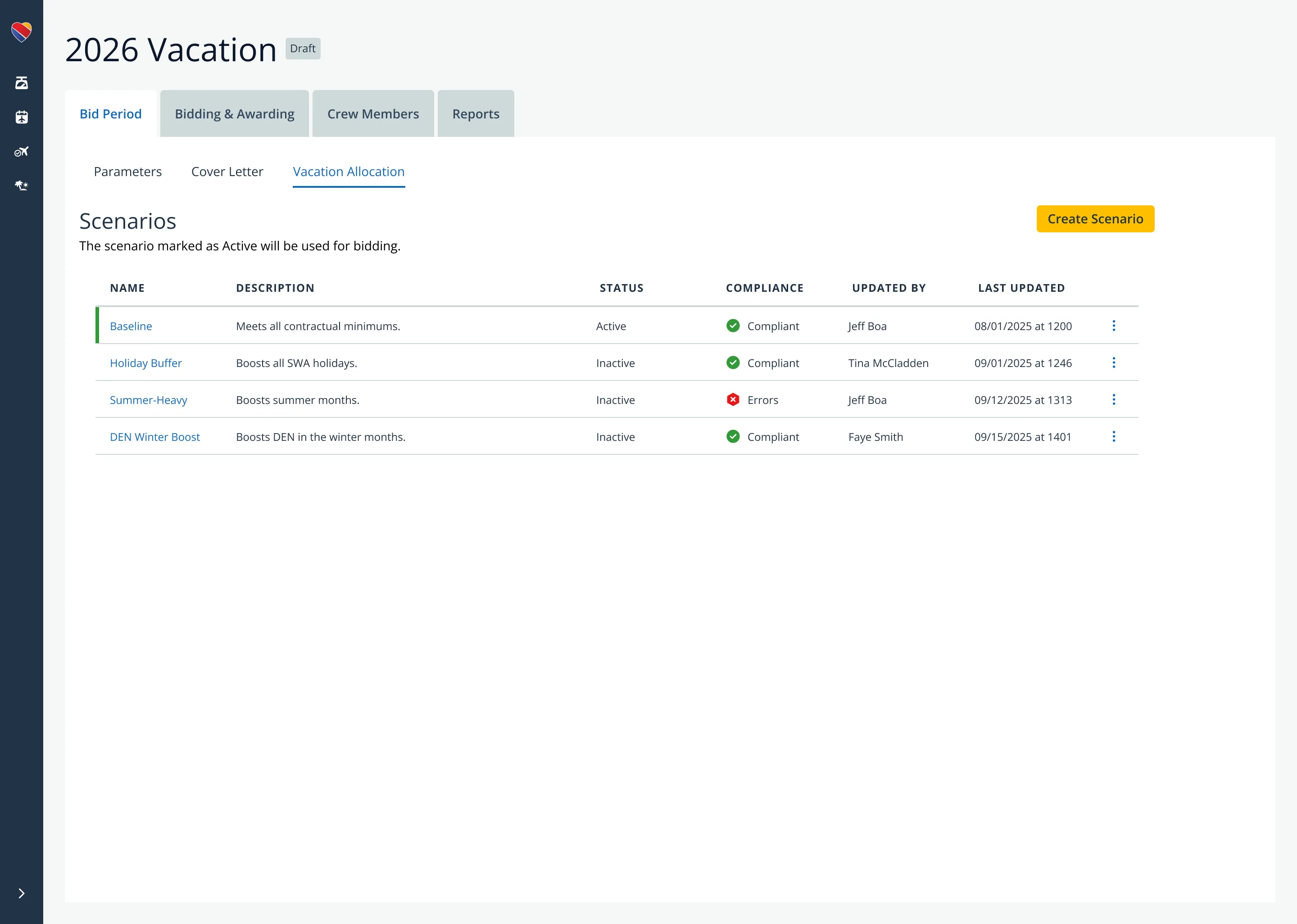
Scenarios view showing four named allocation strategies with compliance status indicators.

Scenario modeling. Planners can build, name, and compare allocation strategies side by side. Compliance status sits in the scenario card itself — Summer-Heavy is flagged with errors that have to be resolved before it can go live. The decision: surface compliance at the strategy level, not buried in the data.

January allocations for ATL Captains and First Officers with inline compliance errors flagged.

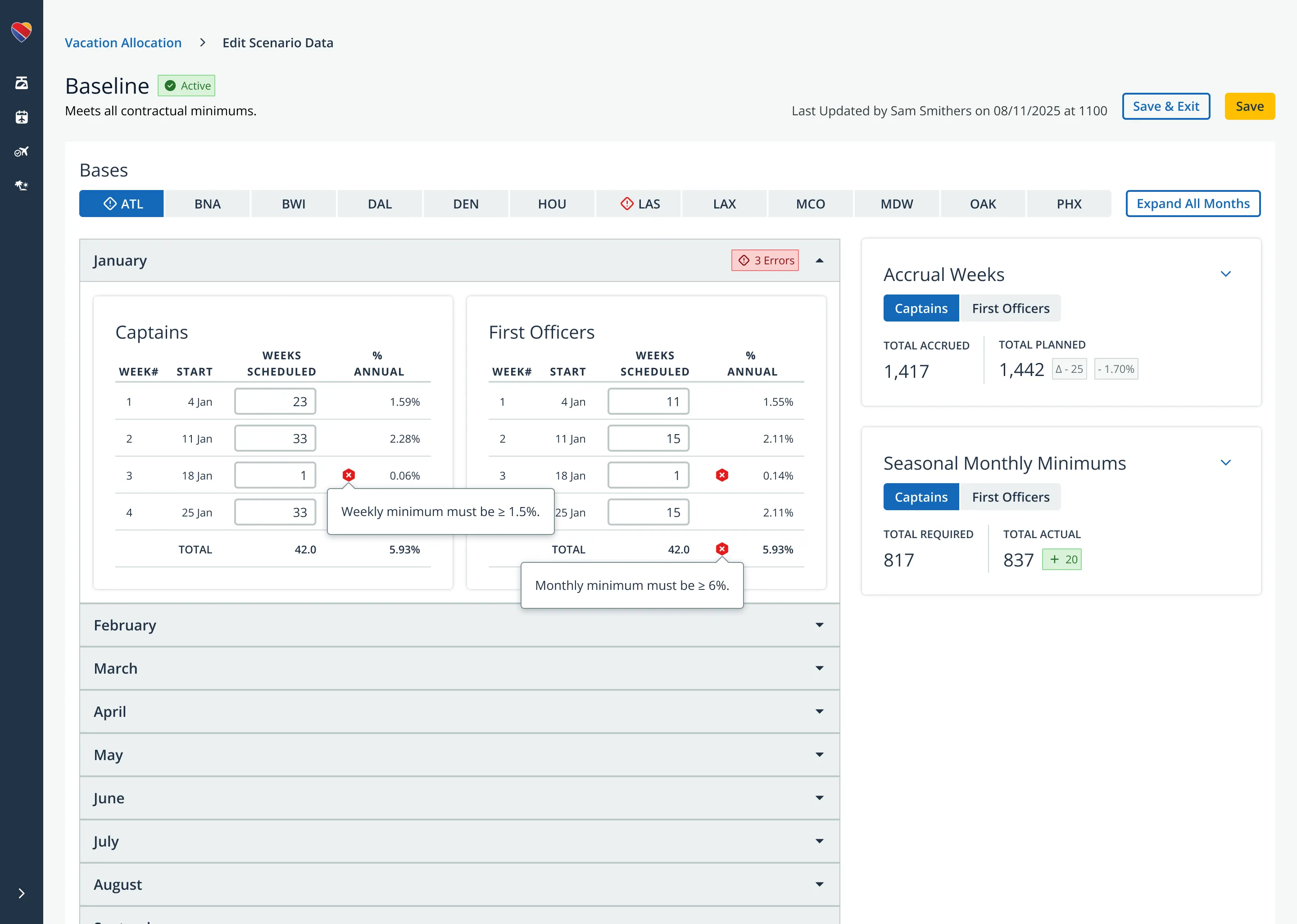
Real-time compliance feedback. Violations show up inline as planners edit — Week 3 for First Officers caught immediately against the 1.5% minimum. The right panel keeps accrual weeks and seasonal minimums in view at the same time, so planners aren’t switching contexts to check whether one decision broke something elsewhere.

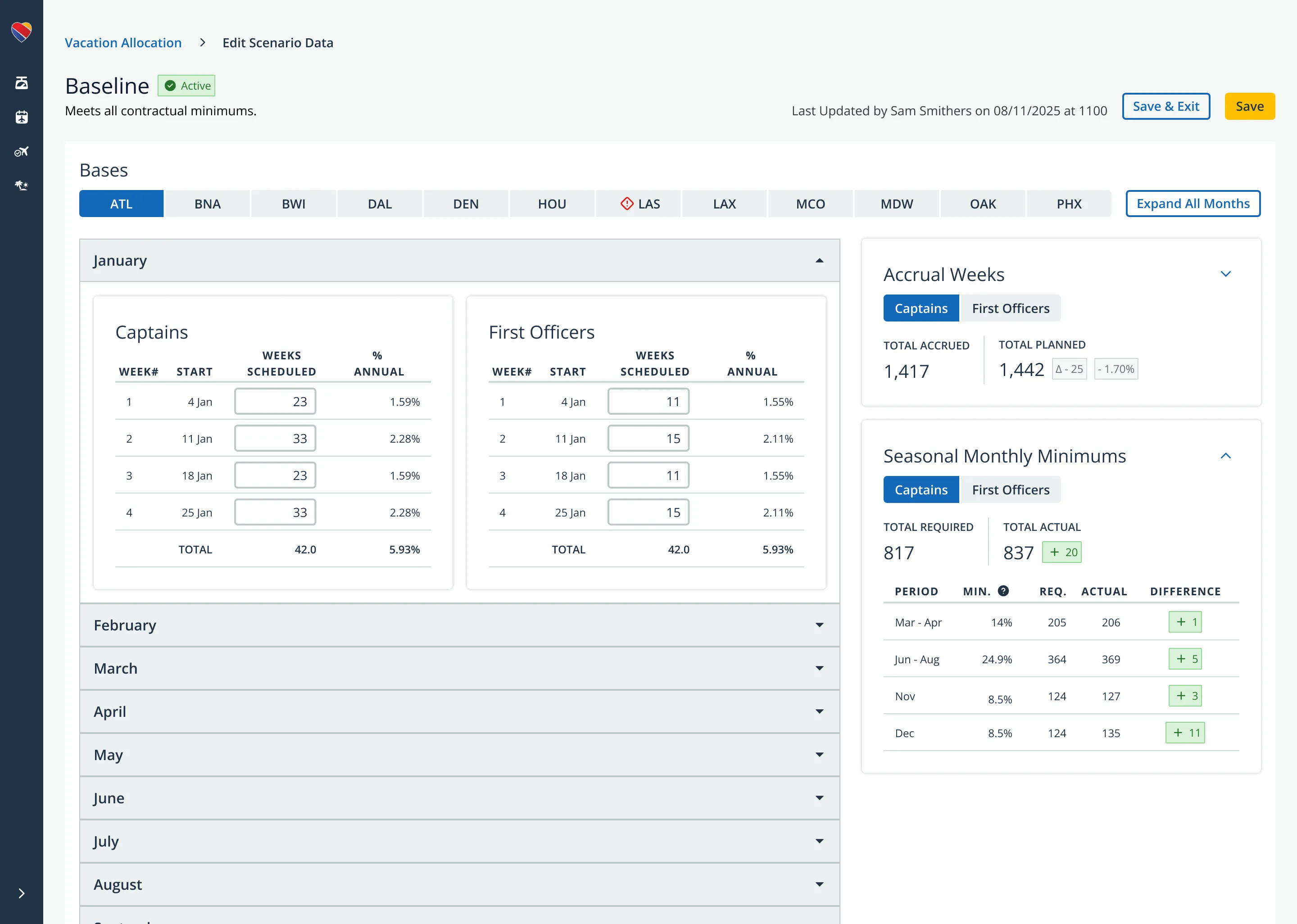
Seasonal Monthly Minimums expanded view showing period, minimum percentage, required weeks, actual weeks, and difference.

Seasonal minimums at a glance. Required versus actual versus difference, across the full year. Planners can see at once where they’re tight, where they have room, and where a strategic adjustment opens up options elsewhere.

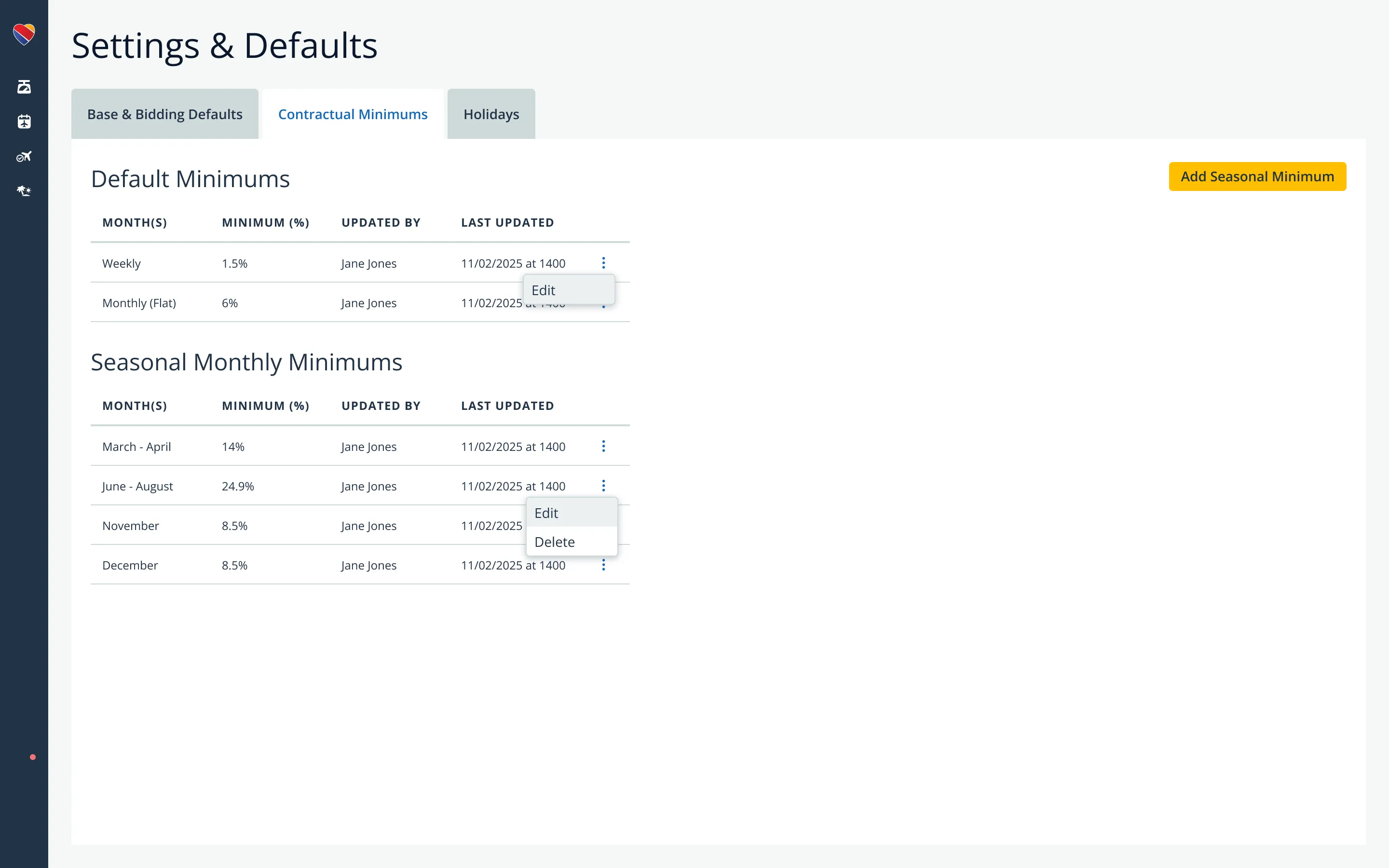
Settings and Defaults page showing editable contractual minimums for weekly, monthly, and seasonal thresholds.

Editable contract minimums. Weekly, monthly, and seasonal thresholds — independently editable by planners, not hardcoded. The architectural choice that lets the tool survive every future SWAPA negotiation without an engineering ticket.

Two sides of the same system.

The planner side and the pilot-facing vacation bidding redesign are two sides of the same system — the confidence indicators pilots see on their bid groups are only meaningful if the underlying allocation data is accurate and compliant. Designing both ends let me see how planner decisions reach pilots, and shaped choices on both sides.

What this work argues.

Inline compliance. The tool is designed so planners catch and correct issues as they build, instead of building complete scenarios and validating at the end. Whether that shift holds in production is what the next phase will tell us.

Editable minimums sit in the architecture because contracts change. The tool that ignores that stops being useful the day the contract is renegotiated. The cost of designing for change up front is small. The cost of not designing for it is paid every renegotiation cycle.

Collaborative discovery works with expert users. Facilitated working sessions surfaced sharper insight than traditional usability research would have — because the planners knew their workflow better than I did.